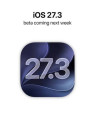


Apple has released a new iOS 27 Public Beta update for users enrolled in the Apple Beta Software Program, ahead of the expected launch of the iPhone 18 series. The latest beta arrives roughly a week after the previous public beta and follows Apple's developer beta release.
Unlike major milestone updates, this beta primarily focuses on bug fixes, performance improvements and system stability, rather than introducing significant new features.
How to Download iOS 27 Public Beta
Users who want to try iOS 27 before its official release must first enroll in Apple's Public Beta Software Program.
Apple Beta Software Program
After enrollment, follow these steps:
Open Settings on your iPhone.
Tap General.
Select Software Update.
Tap Beta Updates.
Select iOS 27 Public Beta.
Return to the Software Update screen.
Tap Update Now when the update appears.
Which iPhones Are Eligible for iOS 27 Beta?
Based on the compatibility details provided, the iOS 27 beta is available for iPhone 11 and newer models. Supported devices include the iPhone 12, 13, 14, 15, 16 and 17 series, along with the iPhone SE (2nd generation) and newer SE models.
No Major New Features in the Latest Beta
The latest public beta is largely focused on refining the operating system. Apple is using the testing phase to identify bugs and improve overall stability before the final version of iOS 27 reaches users.
With the iPhone 18 lineup expected to arrive soon, additional beta releases could provide further refinements before Apple's official rollout.
Important: Back Up Your iPhone Before Installing
Because this is beta software, users may encounter bugs, crashes or compatibility issues. It is therefore safer to install the beta on a secondary device.
If you plan to install it on your primary iPhone, create a complete backup of your important data first.
iOS 27 Public Beta: Key Takeaways
Update: iOS 27 Public Beta
Focus: Bug fixes and system stability
Availability: Apple Beta Software Program participants
Compatible devices: iPhone 11 and newer, plus supported iPhone SE models
Installation: Settings → General → Software Update → Beta Updates
Recommendation: Back up your iPhone before installing beta software